
Slack
SLACK TECHNOLOGIES L.L.C.Business
4.77.89K Reviews
- Version
- 26.11.20.0
- Installs
- 50.00M
- Age Rating
- Everyone
Screenshots

Our Review of Slack
 Analysis by Appyee
I use Slack as the place where a work request arrives, gets discussed, assigned, completed, and documented without forcing every conversation into email. That sounds simple, but the real value appears in the handoffs: a question from a colleague can become a focused channel discussion, a direct message can turn into a shared decision, and a file or link can remain attached to the conversation where it matters. My experience is that Slack works best when a team treats it as an organized workspace rather than an endless chat window.
It is a free business app from SLACK TECHNOLOGIES L.L.C., available for everyone to use, and its broad adoption is easy to understand. The Android listing shows over 50 million installs, a 4.6 average from around 212 thousand ratings, and roughly 7.8 thousand written reviews. Those numbers do not replace personal testing, but they do reflect a mature tool that many teams already recognize. The current version is 26.08.30.0, and the app requires Android 10 or later.
How I use Slack from the first request to the finished task
I find Slack most useful when a household shares a project or responsibility but still needs each person’s work conversations to stay distinct. This section follows one request from its first message through discussion and handoff, while keeping in mind that a shared phone or tablet should not blur who is speaking or what information belongs in a work conversation. That boundary matters even more when several people use the same device.
Starting with a messy request
A typical workday begins with incomplete information. Someone sends a message saying a document needs checking, a customer needs an answer, or a launch detail has changed. In email, that request may arrive with several people copied in, while the useful context becomes scattered across replies. In Slack, I can begin in a channel that matches the subject or team, keeping the request visible to people who may need to act on it.
The first practical habit is choosing the right conversation before writing. A broad team channel is suitable when the answer could help many people. A smaller project channel makes more sense when the work involves a defined group. A direct message is useful for a private clarification, but I try not to leave an important decision there. The best Slack workflow starts by putting information where the next person will actually look for it.
This distinction matters because Slack can make communication faster while also making it noisier. If every small question goes into the main channel, important requests disappear under casual messages. If everything is sent privately, the team loses the shared context. I find that a short opening message works better than a vague “Can someone help?” It should explain what is needed, identify the relevant material, and say what kind of response would move the task forward.
Turning conversation into an actionable thread
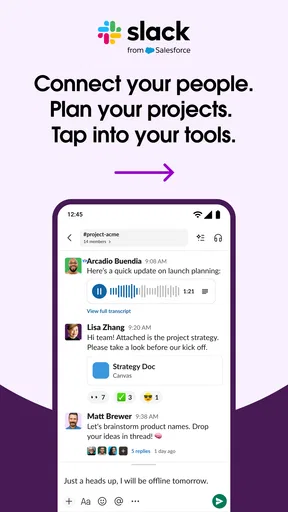
Once the request is posted, replies can stay attached to the original message instead of taking over the main channel. I use threads for clarifications, alternatives, and progress notes that matter to the task but do not need to interrupt everyone else. This creates a useful separation: the channel shows the flow of work, while the thread contains the detail behind a decision.
Threads are especially helpful when several people contribute at different times. A designer can answer a question in the morning, a manager can confirm the direction later, and the person doing the work can return to the same discussion without searching through a long stream of unrelated messages. The limitation is that a thread can become difficult to follow when participants introduce multiple subjects at once. I avoid that by keeping one thread focused on one decision or deliverable.
Slack is also useful for quick questions that do not deserve a meeting. I can ask for a confirmation, share a draft, or check whether someone has already handled an issue. The speed feels more natural than email, particularly for teams working together throughout the day. Still, I would not use a short message as a substitute for a proper brief when the task has several dependencies. Fast communication is not automatically clear communication.
Moving from discussion to ownership
The next step is the handoff. A conversation becomes useful only when someone knows what they own. In practice, I make the transition explicit in the channel: who is taking the next action, what material they should use, and what needs to happen before the work can move on. Slack does not magically create accountability from a busy conversation; the team has to state it clearly.
This is where the app feels stronger than a basic group chat. Channels provide a shared working space, while threads preserve the reasoning behind the task. A colleague joining later can read the relevant exchange instead of asking the same question again. That can reduce repeated explanations, although it depends heavily on disciplined posting. A poorly named channel or a vague message still creates confusion, even inside a well-designed app.
For a realistic example, imagine that I receive a request to review a customer-facing announcement. I post the draft in the appropriate project channel, ask one teammate to check the wording, and ask another to verify the operational details. Their feedback stays in the thread. When the wording is approved but the operational detail needs correction, I can point to the exact response and hand the revised section to the person responsible. The conversation becomes a lightweight record of how the announcement changed.
Handling files, links, and context
Work rarely consists of text alone. Slack lets me keep a document, image, or reference link close to the message that explains why it matters. That proximity is more useful than placing a file in a general folder and expecting everyone to understand its purpose later. When I share something, I try to add a sentence explaining what to inspect. A bare attachment is easy to overlook; a file connected to a clear request is much easier to act on.
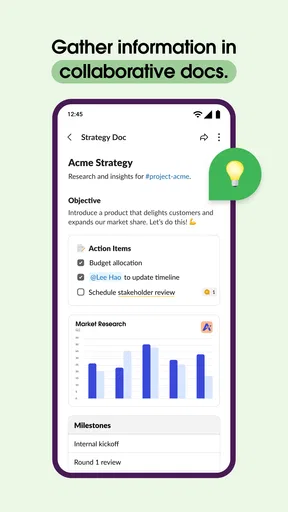
The trade-off is that Slack is not a replacement for a carefully structured document system. A channel can preserve discussion, but it is not automatically a polished knowledge base. If a decision will be reused often, I prefer to summarize it in a durable document and place the relevant reference in the conversation. Slack is excellent for the path toward a decision; it is less satisfying as the only home for long-term information.
Another useful habit is separating urgent work from background material. I do not expect every participant to read every message immediately. A concise update can point people to the important change, while the surrounding thread retains the detail for anyone who needs it. This keeps the channel readable without stripping away useful context.
Completing the task and closing the loop
The final handoff is often overlooked. When the work is finished, I post the outcome where the request began. That might be a final file, a confirmation that an issue was resolved, or a short explanation of what changed. Closing the loop helps the person who raised the request and gives anyone following the channel a clear endpoint.
I also find it valuable to distinguish between “the work is done” and “the work is ready for someone else.” Those are not always the same. A reviewer may need to approve a draft, a support colleague may need to send a response, or a manager may need to make the final call. Writing that status plainly prevents a common Slack problem: several people assume someone else has finished the last step.
When used this way, the app becomes more than a stream of messages. It gives a task a visible beginning, a place for questions, a record of handoffs, and a recognizable conclusion. That is the part I would recommend to a friend: do not judge Slack by how quickly messages appear; judge it by whether your team can follow work from request to result.
What the mobile experience is good at
On a phone, Slack is most useful for staying connected when I am away from a desk. I can check a channel, reply to a thread, clarify a handoff, or see whether a colleague has responded. That is valuable for distributed teams and for anyone whose workday moves between locations. The app keeps the conversation available without requiring me to open a laptop for every small update.
Mobile access also changes how I think about notifications. If every channel produces an alert, the app becomes exhausting. I prefer to reserve attention for direct requests and conversations that genuinely require action, then inspect other channels when I have time. The exact setup will vary by team, but the principle is consistent: notifications should signal priority, not reproduce the entire workspace on the lock screen.
Typing long explanations on a phone is less comfortable than working on a larger screen, especially when a discussion contains many replies or several files. I use mobile Slack for quick decisions and monitoring, then move to a computer for extended writing or detailed review. The app supports continuity, but it does not eliminate the difference between a pocket-sized screen and a full workstation.
Where Slack compares well with familiar alternatives
Compared with email, Slack makes short exchanges feel more immediate and keeps team discussion in shared spaces rather than private inboxes. It is easier to ask a quick question without creating a formal email chain, and threads can keep side discussions from overwhelming the main channel. Email still has advantages when a message needs a carefully controlled recipient list, a formal external record, or a slower pace that encourages deliberate writing.
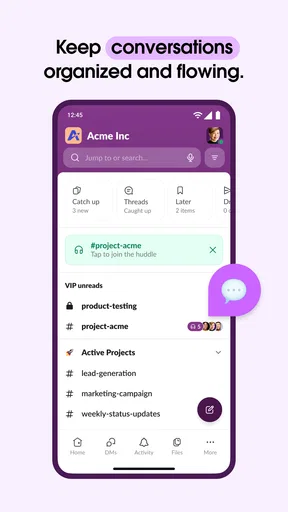
Compared with ordinary group messaging, Slack gives work conversations a clearer structure. Channels can separate projects and teams, while threads give individual topics somewhere to develop. A general group chat may feel friendlier for informal coordination, but it becomes difficult to retrieve decisions when personal messages, jokes, files, and unrelated questions all share one stream.
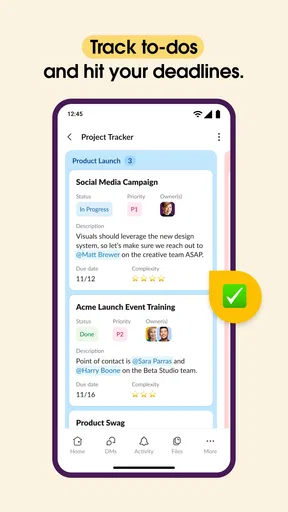
Compared with a project-management app, Slack is more comfortable for discussion and rapid clarification. It is often the place where a task is understood before it is entered into a formal workflow. A dedicated project tool is usually better for deadlines, dependencies, status reporting, and a complete task register. I would not ask Slack to replace that system when a team needs rigorous planning. The strongest arrangement is often to discuss the work in Slack and record the durable task or decision in the tool designed for it.
Three habits that make the workflow noticeably better
First, I write the expected action in the opening message instead of burying it at the end of a paragraph. “Please check the figures and reply with approval” is more useful than “Thoughts?” It gives the recipient a clear job and makes the eventual handoff easier to recognize.
Second, I keep decisions visible after the debate ends. A thread may contain several possibilities, but the final message should say which option won, who is acting on it, and whether another person still needs to approve it. This small summary saves future readers from reconstructing the decision from every reply.
Third, I avoid using direct messages for information that another teammate may need later. A private message feels efficient in the moment, but it creates a hidden dependency. If the answer affects a project, I move the useful conclusion into the shared channel, with enough context that it makes sense to someone who was not part of the private exchange.
A fourth habit is to treat channel naming and purpose as part of the workflow, not as decoration. Before posting, I ask whether the conversation belongs to a team, a project, or a temporary issue. That decision affects discoverability later. Slack can preserve a great deal of context, but only if people give that context a sensible home.
Where the flow breaks down
The main weakness is volume. A lively workspace can produce more messages than anyone can reasonably read, and the same speed that helps a team respond can make it hard to concentrate. Slack is not ideal for people who need long, uninterrupted periods of quiet unless the team agrees on respectful communication habits. Constant availability can become a pressure even when the app itself is working correctly.
Search and history are only as useful as the language people use. If a project is referred to by several names, if decisions are never summarized, or if important details remain in private messages, finding the right information later becomes frustrating. The app can hold the conversation, but it cannot repair inconsistent team habits. I would introduce naming conventions and concise summaries before expecting Slack to solve an organization’s knowledge problems.
There is also a risk of replacing thoughtful work with visible activity. A channel full of replies may look productive while the actual deliverable remains unfinished. I watch for messages that announce progress without identifying the next action. When that happens, I return to the workflow: define the owner, state the handoff, and confirm the outcome.
Teams that need a formal record for every change, strict project scheduling, or a highly structured customer-support process may prefer a specialized platform as their main system. Slack can sit alongside those tools, but it should not be forced to do every job. Likewise, a very small group with only occasional communication may find email or a simple messaging app less demanding.
Who should use it and who should skip it
I would recommend Slack to teams that handle several projects at once, work across locations, or need quick access to colleagues without filling everyone’s inbox. It is especially valuable when work moves through frequent handoffs and the reasoning behind a decision matters. The free price makes it easy to try, and the Everyone age rating makes it broadly accessible, although a workplace should still establish its own communication and information-handling rules.
I would be more cautious for a solo user, a team that rarely needs real-time discussion, or an organization that already has a well-maintained project system and does not want another stream of notifications. Slack can improve coordination, but it also introduces another place to monitor. If nobody is prepared to maintain channel structure and close conversations properly, the app may add noise instead of removing it.
For me, the deciding question is not whether a team needs chat. It is whether the team needs a shared trail from question to decision to handoff. If the answer is yes, Slack has a strong case. If the real need is document storage, formal task management, or occasional announcements, another tool may be the better center of gravity.
My final assessment
Slack succeeds when it gives work a visible route: a request enters the right channel, questions stay attached to that request, ownership becomes explicit, and the finished result is posted back for everyone who needs it. I appreciate its flexibility and the way it makes collaboration feel less cumbersome than long email chains. I also respect its limits: without thoughtful channel use, notification control, and clear summaries, the same flexibility can become clutter.
After using it as a business communication app, I see it as a strong coordination layer rather than a complete replacement for every workplace system. The developer, SLACK TECHNOLOGIES L.L.C., has built a tool that is easy to understand at the surface but rewards teams that develop good habits underneath. It is free to start, widely adopted, and rated 4.6 on the store, but its real success depends on how deliberately people handle the handoffs.
My recommendation is simple: try Slack if your current problem is scattered team conversation and unclear ownership. Before inviting everyone, agree on where different work belongs, when to use a thread, and how to announce a final decision. With those rules in place, Slack can turn a noisy stream of messages into a practical path from input to outcome. Without them, it may only make the noise arrive faster.
Privacy and Permissions
See what permissions an app requests and how it handles your data.
- Identity
- find accounts on the device
- Contacts
- find accounts on the device, read your contacts
- Phone
- read phone status and identity
- Photos/Media/Files
- read the contents of your USB storage, modify or delete the contents of your USB storage
- Storage
- read the contents of your USB storage, modify or delete the contents of your USB storage
- Camera
- take pictures and videos
- Microphone
- record audio
- Device ID & call information
- read phone status and identity
- Other
- view network connections, pair with Bluetooth devices, full network access, change your audio settings, run at startup, draw over other apps, control vibration, prevent device from sleeping
Verdict
Strengths of Slack
- Channels keep team conversations organized by project or topic.
- Powerful search makes it easy to find old messages and shared files.
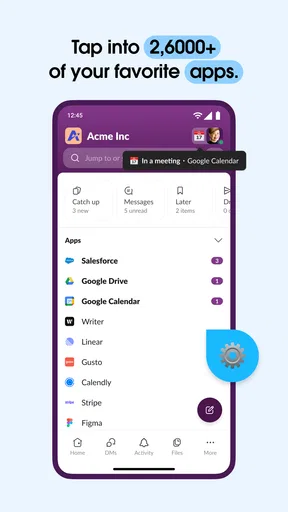
- Integrates with tools such as Google Drive, Zoom, GitHub, and Trello.
- Huddles provide quick audio conversations without scheduling a meeting.
- Custom notifications help reduce interruptions during focused work.
Limitations of Slack
- The large number of channels can feel overwhelming for new users.
- Free plans limit message history, which can hide older conversations.
- Frequent notifications may become distracting without careful setup.
- Some useful features require a paid workspace subscription.
- Large workspaces can use significant storage for files and media.
Similar Picks in This Category
View All
LinkedIn: Community & Network
LinkedIn3.8

Zoom Workplace
zoom.com4.1

Microsoft Teams
Microsoft Corporation4.6

Meta Business Suite
Meta Platforms, Inc.4.6

Webex Meetings
Cisco Systems, Inc.4.5

TeamViewer Remote Control
TeamViewer4.4
Frequently Asked Questions
What is Slack used for?
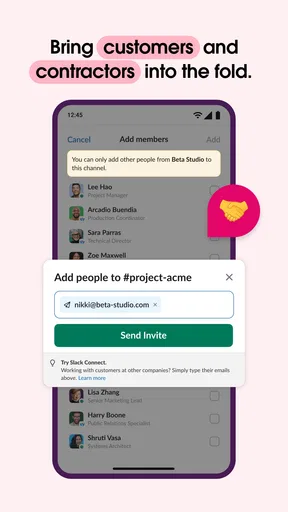
Slack is a team communication and collaboration app designed to organize workplace conversations in one place. After creating a workspace, users can communicate through public or private channels, send direct messages, share files, make audio or video calls, and connect third-party services. It is useful for remote teams, project groups, customer support, and organizations that want to reduce reliance on scattered email threads.
Is Slack free to download and use?
Slack can be downloaded and used with a free plan, but the available features depend on the workspace subscription selected by the organization. Free workspaces may include limitations such as a restricted message history, fewer integrations, and reduced administrative controls. Paid plans generally provide expanded search, longer access to messages and files, additional security options, and more advanced collaboration features.
Can Slack replace email or other messaging apps?
Slack can reduce the need for internal email by keeping conversations organized around channels, projects, departments, and topics. However, it does not completely replace email for every situation. External communication, formal notifications, account recovery, and messages involving people outside the workspace may still require email. Slack also works best when teams establish clear channel rules and avoid sending every discussion through direct messages.
Does Slack support voice and video calls?
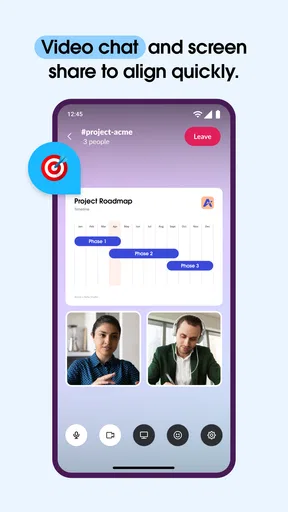
Slack includes options for voice and video communication, although the exact capabilities may vary according to the workspace plan, device, and current app features. Users can communicate through huddles or other calling tools, share their screen in supported situations, and continue discussing information in the related channel or direct message. A stable internet connection and permission to use the microphone or camera are required.
Is Slack secure and suitable for business use?
Slack offers business-oriented security and administration features, including workspace permissions, private channels, user management, authentication options, and controls for handling shared information. Nevertheless, security also depends on how administrators configure the workspace and how carefully members share files, links, and confidential data. Before downloading it for professional use, organizations should review the plan’s compliance, retention, and access-control features.
